Resource Planning Presentation Template


Product Description
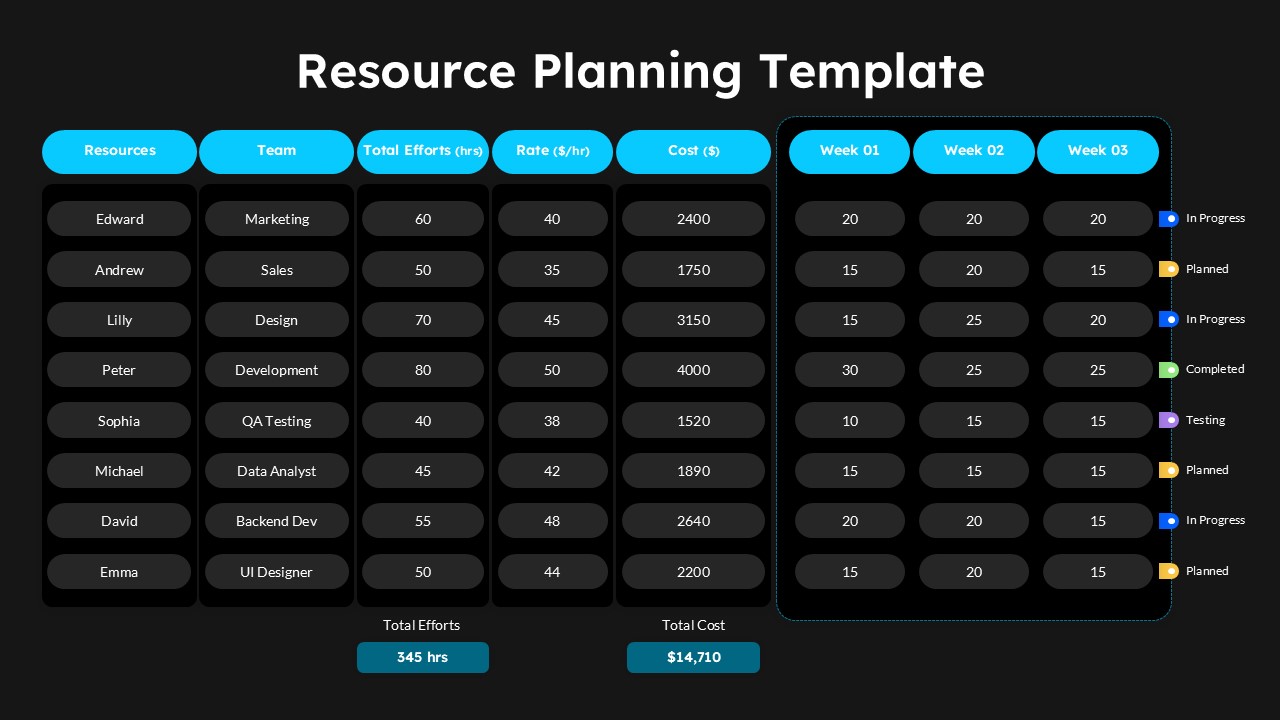
This Resource Planning template helps project managers streamline resource allocation with clear visibility into team assignments, budget tracking, and timeline management. Fully editable in both Microsoft PowerPoint and Google Slides, it offers seamless compatibility across platforms and complete flexibility to match your organization’s branding and project requirements. The modern design features bright cyan headers, clean white and dark backgrounds, and color-coded status indicators for in-progress, planned, completed, and testing phases. Alternating row colors and contemporary typography improve readability and data scanning efficiency across all slides.
The 2-slide template includes comprehensive tables with 8 columns covering resources, team assignments, total effort in hours, hourly rates, total costs, and three-week timeline distribution. Each slide accommodates up to 8 team members across departments including Marketing, Sales, Design, Development, QA Testing, and Data Analysis. Automatic cost calculations and summary totals make presentations more data-driven and actionable. Both light and dark theme variations add versatility for different presentation environments. This template is ideal for project managers, team leads, business analysts, consulting firms, software development teams, and marketing agencies managing multi-departmental projects with specific budget and timeline constraints. You can also complement your planning presentations with professional dashboard templates for performance and KPI tracking.
Download this Resource Planning template today and present your next project strategy with confidence and clarity.
Frequently Asked Questions
Can I modify the team member names and departments in this resource planning template?
Yes, all text elements including team member names, departments, rates, and hours are completely editable. You can customize the template to match your specific team structure and project requirements.
Does this template automatically calculate costs based on hours and rates?
The template includes structured fields for hours and rates, but you'll need to input your calculations. The layout is designed to clearly display cost breakdowns and totals for easy budget tracking and presentation.
Can I extend the timeline beyond the three weeks shown in the template?
Yes, you can easily add more week columns or modify the existing timeline structure. The table format is fully customizable, allowing you to extend or adjust the project duration to fit your specific planning needs.
Login to download this file
What do you think of this template?
-
Category:
Project Management -
-

-

Aspect Ratio: 16:9
-

Item ID: SPT0644
-

Designed by: Niranjana
-

Color
Related Templates
-

Agile Sprint Planning Timeline Presentation Template
Project Management
-

-

Simple Gantt Chart Planning Template for PowerPoint & Google Slides
Project Overview
-

-

McKinsey Timeline Slide for Business Roadmaps & Strategic Planning
Project Overview
-

-
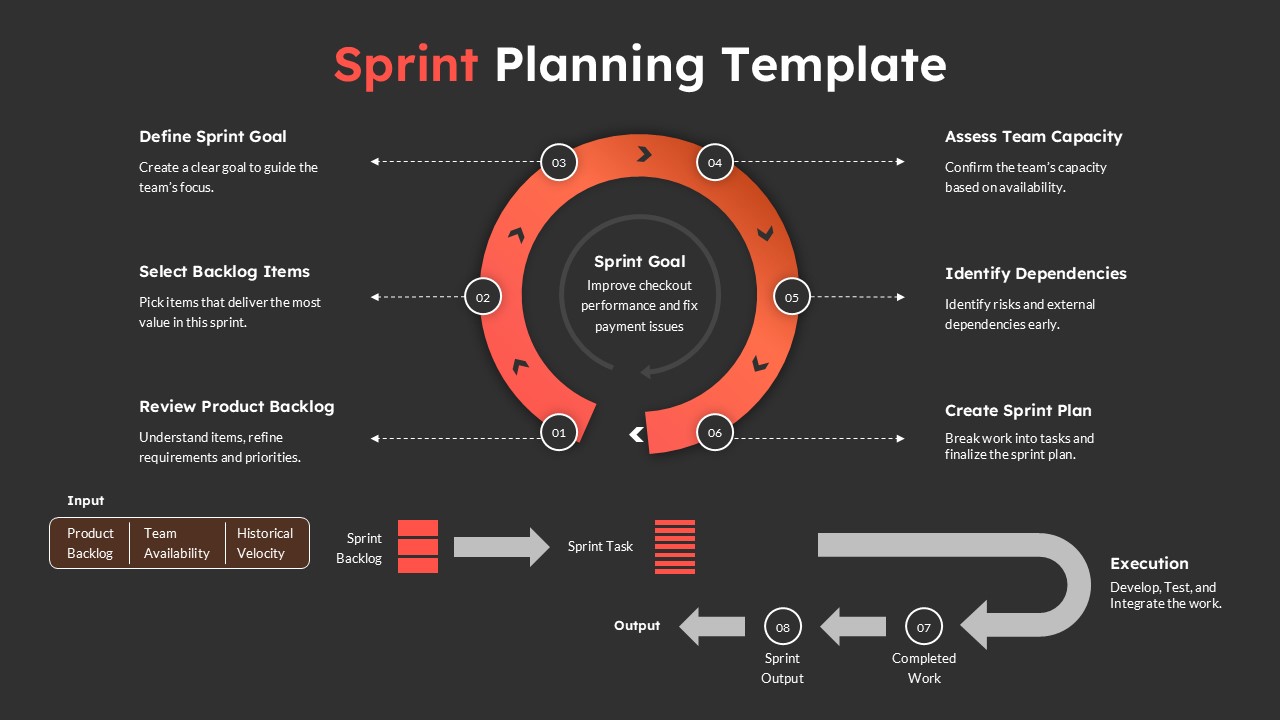
Sprint Planning Presentation Template for Agile Workflow Management
Project Management
-

-

-

-

-