
Sprint Planning Presentation Template for Agile Workflow Management
Product Description
Sprint planning meetings move fast. When the visual does not keep up, teams lose alignment before the first task gets assigned. This Sprint Planning Template gives agile teams, scrum masters, and product owners a structured presentation slide that maps the entire sprint planning process from input to output in one clear, connected view.
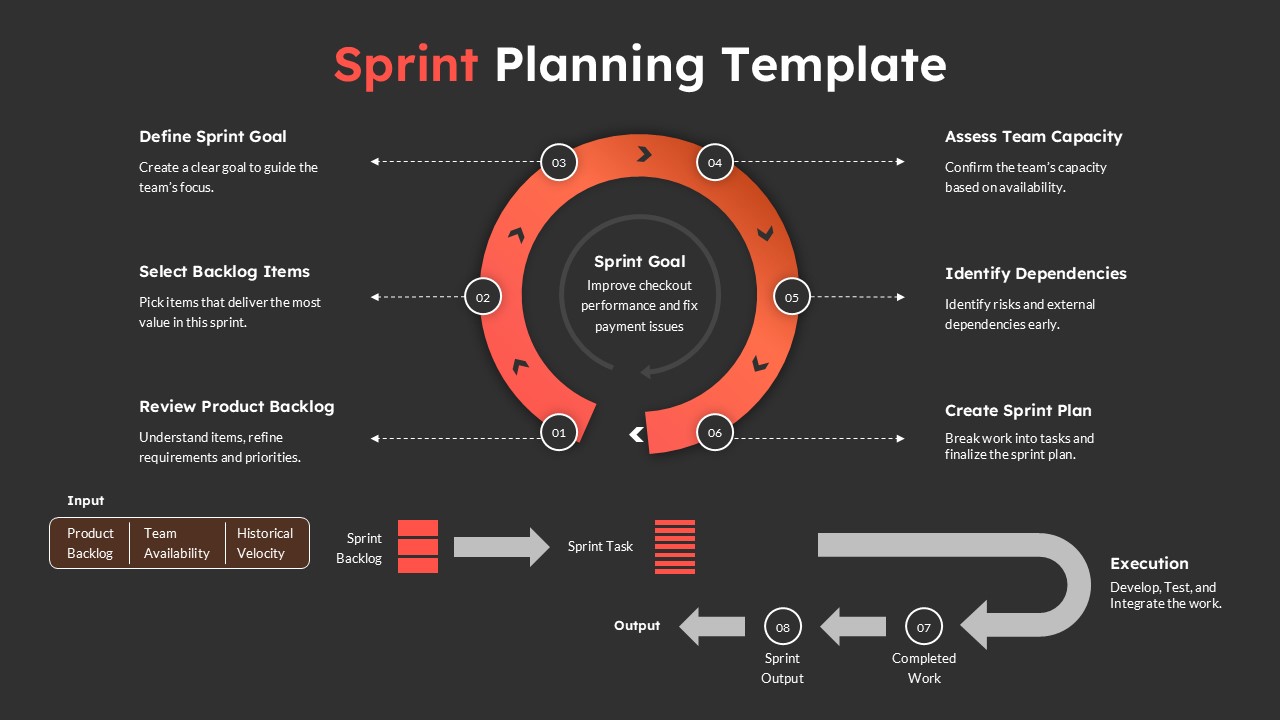
The slide centers on a bold circular flow diagram built in a deep charcoal background with a striking red-orange gradient arc. Six numbered steps orbit the central Sprint Goal node, each connected by directional dashed arrows that show both the sequence and the relationship between steps. The circular layout communicates the iterative nature of agile work visually, which no linear slide can do as effectively.
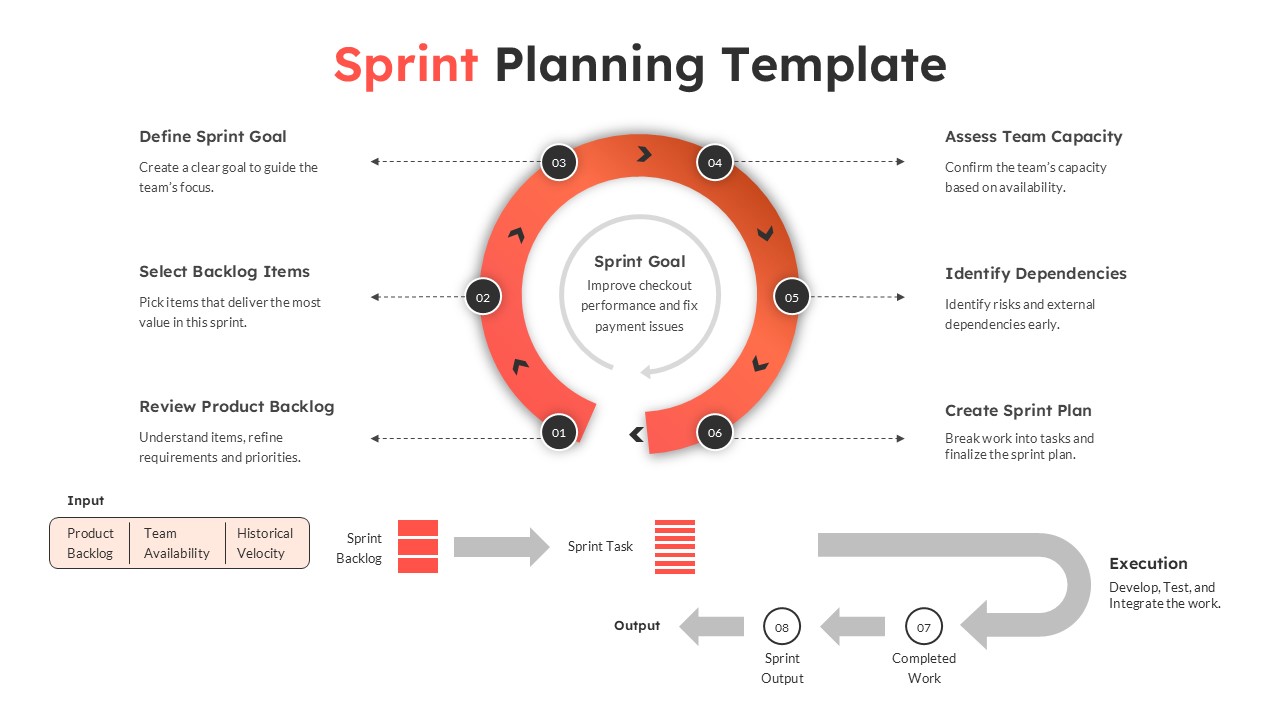
Each of the six steps carries a label and a short description. Step 01 covers Review Product Backlog, where teams understand items and refine requirements and priorities. Step 02 handles Select Backlog Items, focusing on picking tasks that deliver the most value within the sprint. Step 03 defines the Sprint Goal, creating a clear objective to guide the entire team’s focus. Step 04 moves into Assess Team Capacity, confirming availability before committing to a workload. Step 05 addresses Identify Dependencies, surfacing risks and external blockers early before execution begins. Step 06 closes the planning loop with Create Sprint Plan, breaking work into actionable tasks and finalizing the sprint commitment.
Below the circular diagram, a separate workflow section maps the execution flow. Three input blocks covering Product Backlog, Team Availability, and Historical Velocity feed into Sprint Backlog, which then flows through Sprint Task and into Execution, covering Develop, Test, and Integrate. The output path closes with Completed Work and Sprint Output, giving the audience a full end-to-end picture of how planning connects directly to delivery. Similar end-to-end operational visuals can be found in our process Flow templates.
This two-part structure is what separates this agile sprint planning slide from a generic process diagram. It shows both the planning ceremony and the execution pipeline on one slide, which makes it useful in sprint kickoff meetings, agile coaching sessions, team onboarding presentations, and stakeholder reviews where the audience needs to understand not just what the team plans but how the work actually moves from backlog to output.
The template edits cleanly in both Microsoft PowerPoint and Google Slides, so whether your scrum team works locally or collaborates remotely, every step label, arrow, color block, and text description stays fully editable and presentation-ready across both platforms. Software development teams, product managers, UX leads, DevOps engineers, and agile coaches across SaaS, fintech, healthcare technology, and e-commerce regularly use sprint planning slides to run tighter ceremonies, align distributed teams, and communicate agile workflows to non-technical stakeholders.
Frequently Asked Questions
What is a sprint planning template and who should use it?
A sprint planning template is a structured presentation slide that maps the agile sprint planning process, from backlog review and goal setting through capacity assessment, dependency identification, and final sprint plan creation. Scrum masters, product owners, and development team leads use it to run focused sprint ceremonies and communicate the planning process clearly to both technical and non-technical stakeholders. It removes the need to explain agile workflows verbally by giving every participant a shared visual reference from the start of the meeting.
Can I customize the sprint steps, goal text, and colors in this template?
Yes, every element including the step labels, descriptions, sprint goal text, circular arc colors, input blocks, workflow arrows, and background is fully editable in both Microsoft PowerPoint and Google Slides. You can rename each step to match your team's specific process, update the sprint goal placeholder with real objectives, and adjust the color scheme to align with your brand or project theme without changing the core layout structure.
Login to download this file
What do you think of this template?
-
Category:
Project Management -
-

-

Aspect Ratio: 16:9
-

Item ID: SPT0920
-

Designed by: Niranjana
-

Color
Related Templates
-

Agile Sprint Planning Timeline Presentation Template
Project Management
-
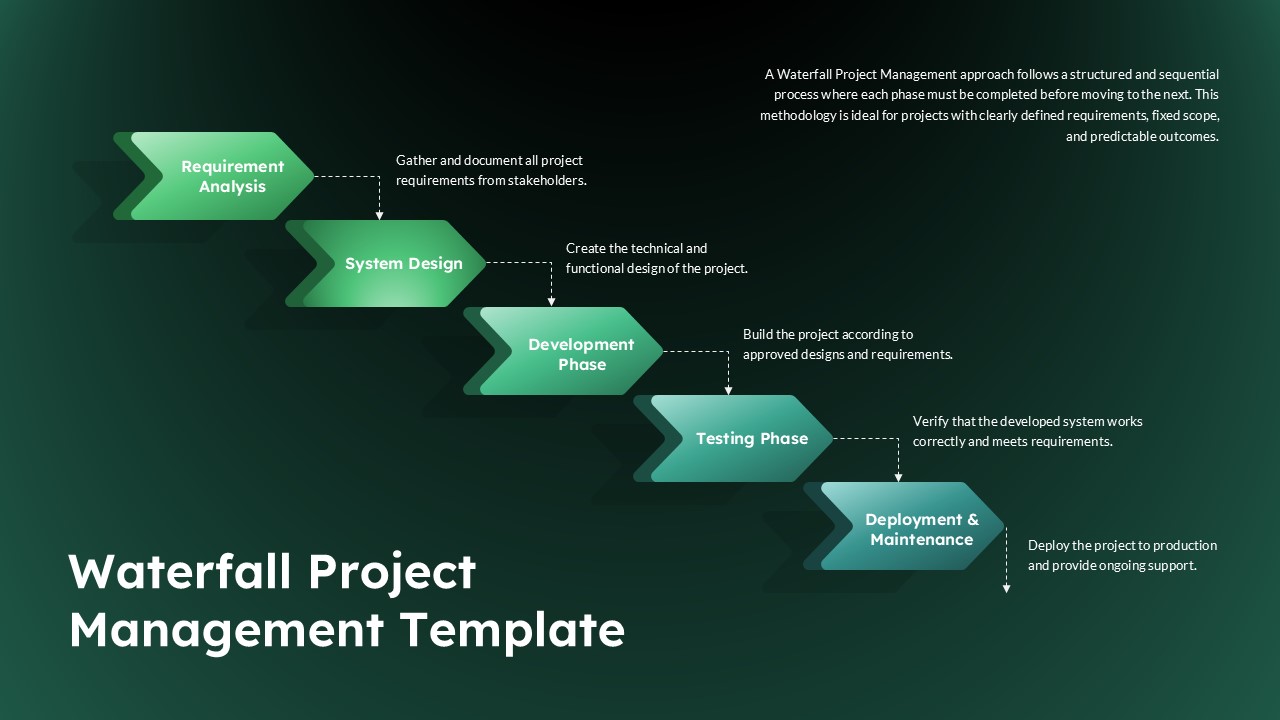
5 Phase Waterfall Project Management Template
Project Overview
-

Project Workflow PowerPoint & Google Slides Template
Project Management
-

-

-

-

-

RFP Process Template
Business Strategy
-

-

-

-



