Do’s and Don’ts PowerPoint Template


Product Description
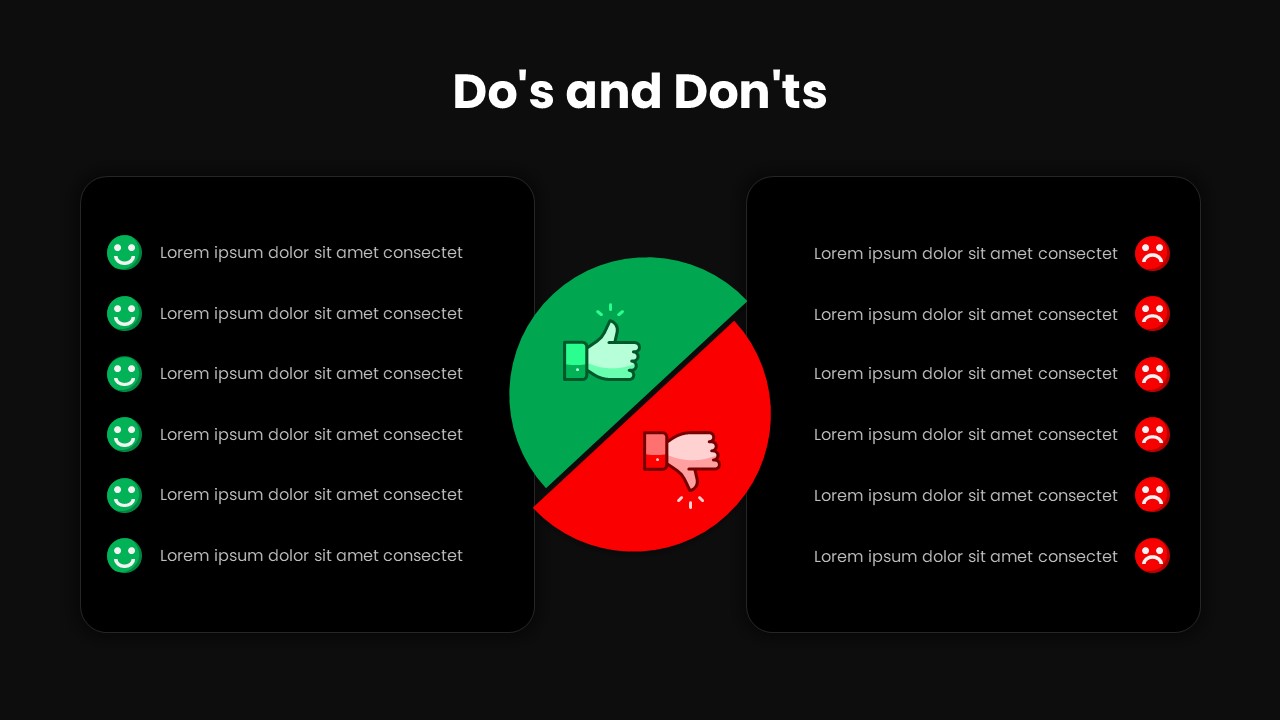
Make guidelines easier to understand with our Do’s and Don’ts PowerPoint Template, a simple visual solution for presenting recommended practices alongside actions or behaviors to avoid. The layout uses two clearly separated content areas, allowing you to place positive recommendations on one side and contrasting points on the other. A central visual reinforces the comparison, making the slide suitable for explaining rules, procedures, standards, and practical recommendations.
The template provides a straightforward way to distinguish between actions that should be followed and those that should be avoided. The Do’s and Don’ts PowerPoint Template features two rounded content panels with multiple editable points and expressive icons that immediately communicate the difference between the two categories. The green section can be used for approved actions, helpful practices, or recommended steps, while the red section can highlight errors, prohibited behaviors, or common pitfalls. The central thumbs-up and thumbs-down graphic strengthens the visual contrast and helps the audience understand the relationship between both sides. For example, the slide can be adapted for workplace policies, presentation guidelines, customer service standards, cybersecurity awareness, safety instructions, marketing practices, or project procedures. Each text point can be replaced with topic-specific information to create a clear comparison tailored to your audience.
Do’s and Don’ts presentation templates can be useful for corporate training, employee onboarding, educational sessions, workshops, compliance presentations, marketing strategies, and instructional materials. You can edit the text, icons, colors, and other PowerPoint elements to align the slide with your presentation theme. Organize your recommendations into two easy-to-follow sections and use the contrasting design to emphasize important differences. Add your own examples, rules, or instructions to make the content relevant to your audience. Download this template or explore our collection of comparison PowerPoint diagrams to discover more visual presentation options. Start creating your presentation today!
Frequently Asked Questions
What is a Do's and Don'ts PowerPoint template used for?
It helps present recommended actions and behaviors alongside mistakes, restrictions, or practices that an audience should avoid.
Login to download this file
What do you think of this template?
-
Category:
Infographics -
-

-

Aspect Ratio: 16:9
-

Item ID: SPT0076
-

Designed by: Krishnapriya
-

Color
Related Templates
-

-
-

-

Comparison Matrix PowerPoint Template
Google Slides
-

-

-

From To Presentation Template for PowerPoint & Google Slides
Business Strategy
-

-

-

Cost Benefit Analysis Matrix Google Slides & PowerPoint Template
Business Strategy
-

-