Blank Venn Diagram Template
Product Description
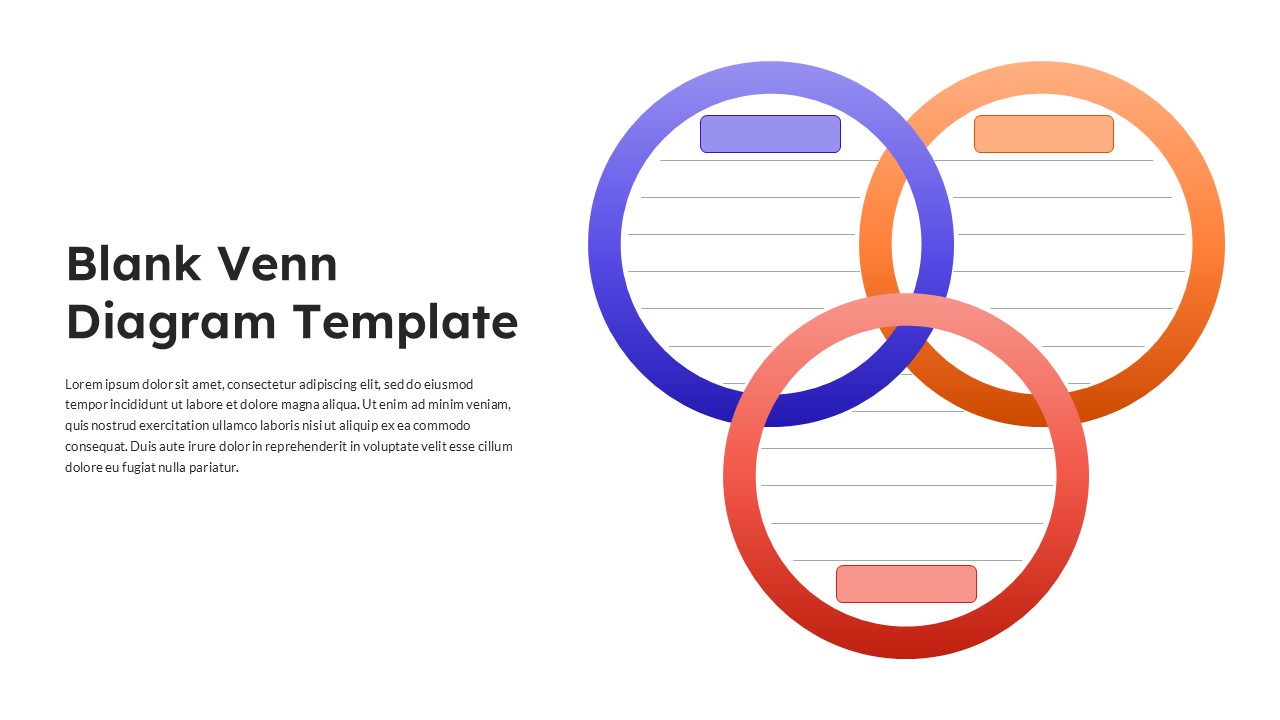
A Blank Venn Diagram is a visual comparison tool used to organize information by showing similarities, differences, and overlapping relationships between two or more concepts. It is widely used in business strategy, education, product analysis, research, and brainstorming sessions to simplify complex comparisons into an easy-to-understand graphic. The Blank Venn Diagram PowerPoint Template provides a presentation-ready layout that enables users to build these comparisons quickly using fully editable PowerPoint elements.
The PPT slide is designed around three intersecting circles that create dedicated spaces for individual ideas and their shared connections. Each section includes editable title and content placeholders, allowing presenters to compare products, services, departments, customer segments, business models, or strategic initiatives without redesigning the diagram. The clean arrangement keeps the focus on the content while naturally guiding the audience through each comparison.
Rather than using static graphics, the diagram is constructed entirely with native PowerPoint shapes. This allows presenters to resize circles, adjust overlaps, modify colors, replace labels, or duplicate the layout to create more detailed comparisons throughout a presentation. Every object remains fully editable, making it easy to adapt the slide to corporate branding or project requirements.
The Blank Venn Diagram PPT Template is a practical addition to business presentations, consulting reports, workshops, classroom lessons, and strategic planning sessions. Whether introducing new ideas, evaluating alternatives, or presenting analytical findings, this editable PowerPoint diagram provides a professional canvas for transforming comparisons into clear and engaging visual presentations.
Frequently Asked Questions
What is a Blank Venn Diagram used for?
A Blank Venn Diagram is used to compare two or more concepts by organizing similarities, differences, and shared characteristics in a visual format. It is commonly used for business analysis, strategic planning, product comparisons, brainstorming, educational presentations, and research discussions where relationships between ideas need to be communicated clearly.
How can I customize the Blank Venn Diagram PowerPoint Template?
The Blank Venn Diagram PowerPoint Template is built entirely with editable PowerPoint shapes, allowing you to modify colors, resize circles, edit text placeholders, change labels, adjust overlapping sections, and apply your organization's branding. You can also duplicate the diagram to compare additional concepts or adapt it for different presentation topics without losing design quality.
Login to download this file
What do you think of this template?
-
Category:
Diagrams -
-

-

Item ID: SPT1040
-

Designed by: Niranjana
-

Color
Related Templates
-
-
5 Way Venn Diagram Template
Diagrams
-

-

-

Free 5 Circle Venn Diagram Template
Diagrams
-

-
6 Circle Venn Diagram Slides
Business
-
-

Blank Swot Analysis Template PowerPoint & Google Slides Template
Business Strategy
-

-

-

Editable Blank Timeline Template
Business